

 Data Storage



- 800M+A mail system used by hundreds of millions of users with strong stability.
- Level 3Security certifications help meet enterprise compliance needs.
- 98%+High spam blocking reduces noise and improves work efficiency.
- 10M+Designed to withstand large-scale attacks without interrupting use.
- 18+ yrsFounded in 2005, focused on secure and stable enterprise email.
- 6 continentsReach six continents across Europe, America, Asia, Africa and Latin America.
- 197Reach 197 countries and regions worldwide.
- 49800+Connects with global public mail, enterprise mail and self-hosted mail systems.
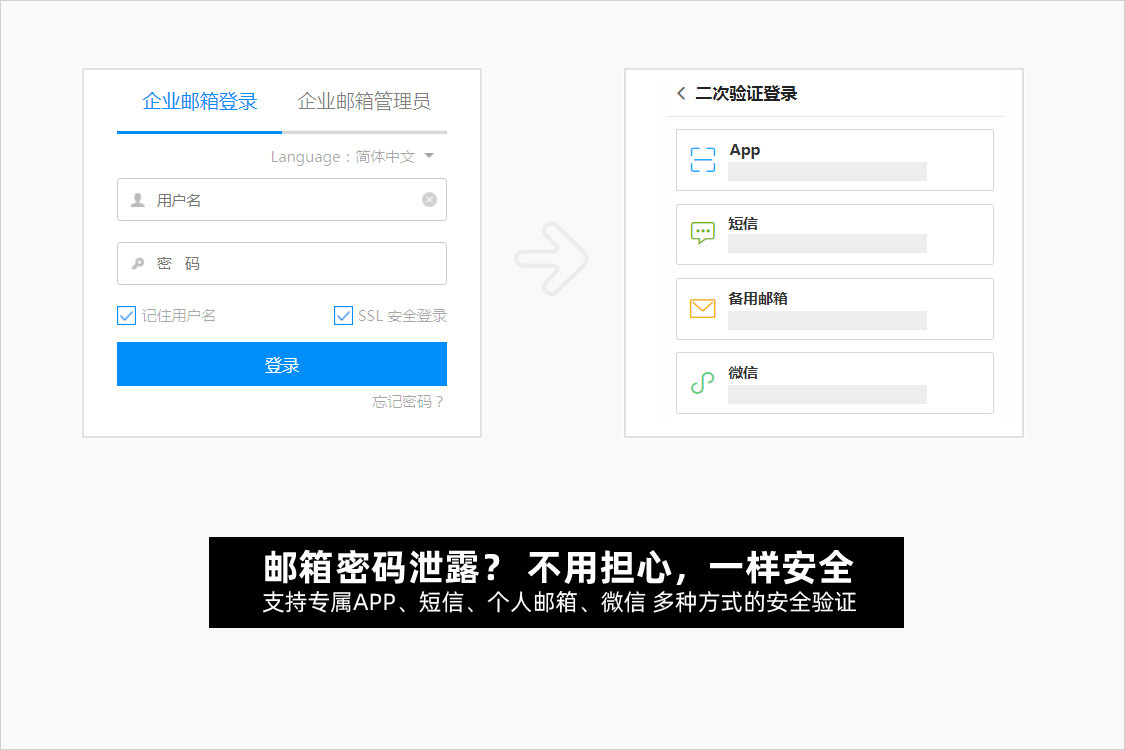
- Advanced SecurityMeets strict security needs and reduces risks even when passwords are exposed.
- Spoofing ProtectionTimely alerts for unknown, spoofed and phishing emails.
- Attack DetectionAutomatic blocking is triggered when suspicious attempts reach risk thresholds.
- Clear Mail TrackingClearer sending, receiving, read and log records.
- Secure OperationsYears of mail operations experience support long-term stability.
-
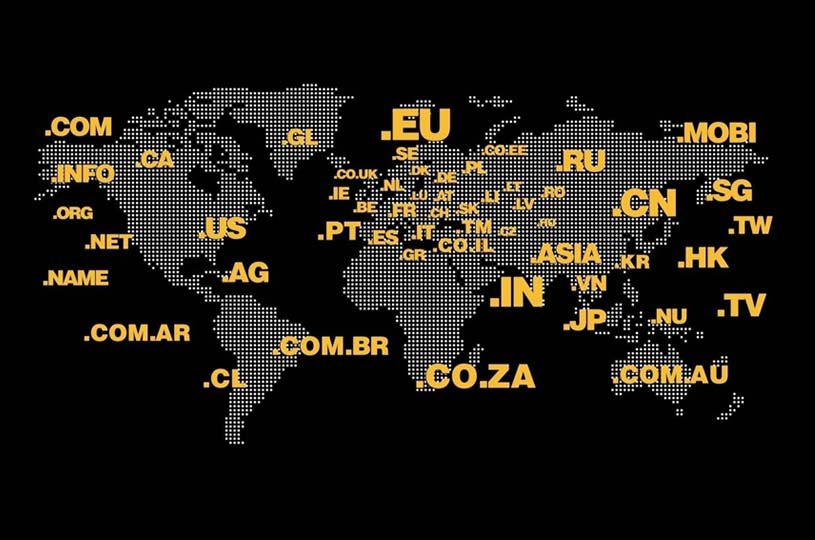
Supports over 1,200 domain extensions
Supports international, country-code and Chinese domains for global business and multi-region teams.
-
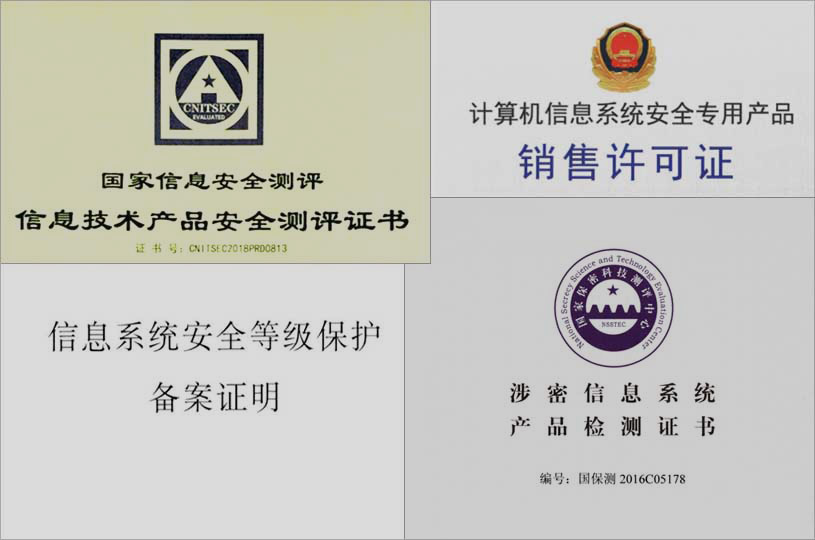
Passed strict security product certifications
Supports security, compliance and trusted communication scenarios for enterprise teams.
-

Direct official service
From small teams to group organizations, customers get official service, transparent pricing and traceable support.
-
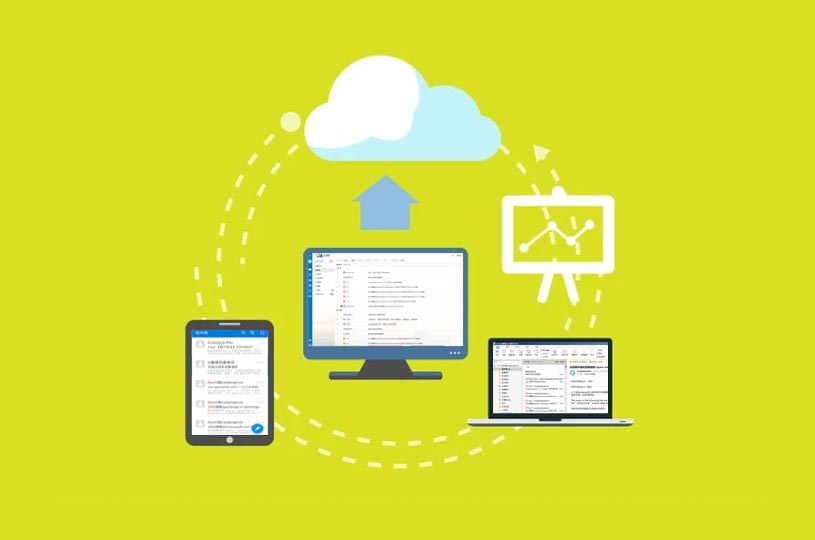
Works across business scenarios
Supports webmail, desktop clients, mobile, third-party OA and IMAP/POP/SMTP protocols.
-

Stable communication for large groups
Stable sending and receiving across multiple regions and business lines.
View Case -

A high-security organization upgraded its mail service
A more reliable enterprise email option for organizations with strict security and confidentiality needs.
View Case -
Long-term service for finance teams
Security, stability and filtering capabilities help finance customers improve mail productivity.
View Case
 Stable Global Delivery
Public and private cloud deployment keeps mail usable wherever the network is available.
 DKIM Support
Meets international authentication needs and improves delivery stability.
 Security Compliance
Aligned with security evaluation and compliance requirements.
 Spoofing and Unknown Sender Alerts
Highlights unknown, spoofed and high-risk messages.
 External Mail Alerts
External mail alerts reduce mistaken trust.
 Phishing Alerts
Warns users before responding to phishing or fraud messages.
 WeChat Security Verification
Adds protection when passwords may be exposed.
 Mailbox Security Verification
Multiple verification options fit different organization habits.
- How do I configure my 138 enterprise email for optimal inbox placement in Gmail, Outlook, and QQ Mail?
Start by verifying your domain’s DNS records: publish SPF, DKIM, and DMARC with strict alignment (p=quarantine or p=reject). For Gmail and Outlook, ensure your sending IP has warm-up history and consistent volume; for QQ Mail (widely used in China), add your domain to Tencent’s Whitelist Portal and monitor feedback loops. We recommend running a full deliverability audit first—this identifies misconfigurations, reputation risks, and regional signal gaps before launch. You can request your free diagnostic report to get a prioritized remediation checklist.
- What are the essential steps to migrate existing business email to 138 secure email without delivery disruption?
A zero-downtime migration requires three synchronized phases: (1) Pre-migration validation—verify MX, TLS, and authentication settings; (2) Staged cutover—route new mail through 138 while retaining legacy routing for fallback; (3) Post-migration monitoring—track inbox placement rates across Gmail (US/EU), Outlook (global enterprise), and QQ Mail (CN) for 72 hours. Our migration plan includes automated DNS health checks and real-time bounce classification—ideal for teams managing multi-region user bases. Get your tailored migration checklist now.
- How can I verify if my 138 email setup is correctly recognized as a trusted sender globally?
Trust isn’t configured—it’s continuously earned. Confirm baseline trust by checking: (a) SPF/DKIM/DMARC alignment status via our free domain validator; (b) absence from major RBLs (e.g., Spamhaus, SORBS, and Tencent’s internal blacklist); (c) consistent TLS 1.2+ enforcement and valid certificate chain. Crucially, monitor *regional* signals: Gmail evaluates engagement metrics per sender domain; QQ Mail weighs local complaint rates and whitelist status. We surface these signals side-by-side in your deliverability dashboard—so you see not just ‘is it working?’, but ‘is it working *where it matters most*?’ Request your personalized trust readiness report.